Hanover Senior Softball

how to change the day game reminders are sent to your team
By default, TeamLinkt sends notifications to your team members one day prior to game day (Tuesday). If you wish to change this (ie to Sunday), follow these instructions.
- Open TeamLinkt on your smartphone.
- Click on the three dots near the top right of your screen.
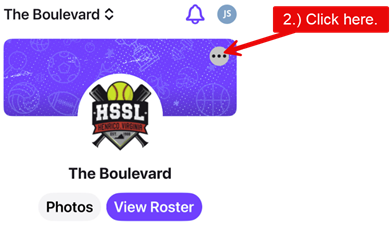
- Click Edit team.

- Scroll down to “Event Reminders”,
- set the desired number of days prior to game day,
Note that the default is one(1) day ahead (Tuesday), I set mine to 3 days so everyone is notified on Sunday. - click “Save”.
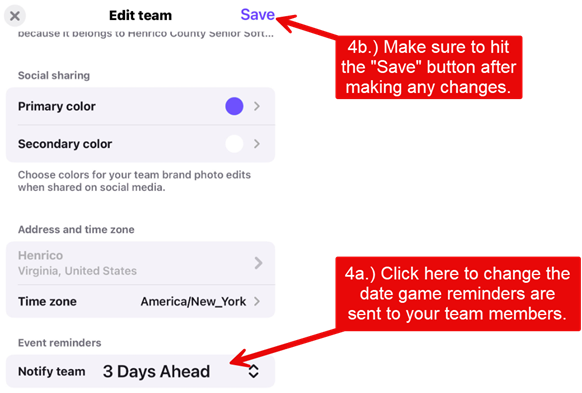
- set the desired number of days prior to game day,