how to input final game scores
- Open TeamLinkt on your smartphone.
- Click the Calendar icon (Events) at the bottom of the screen.
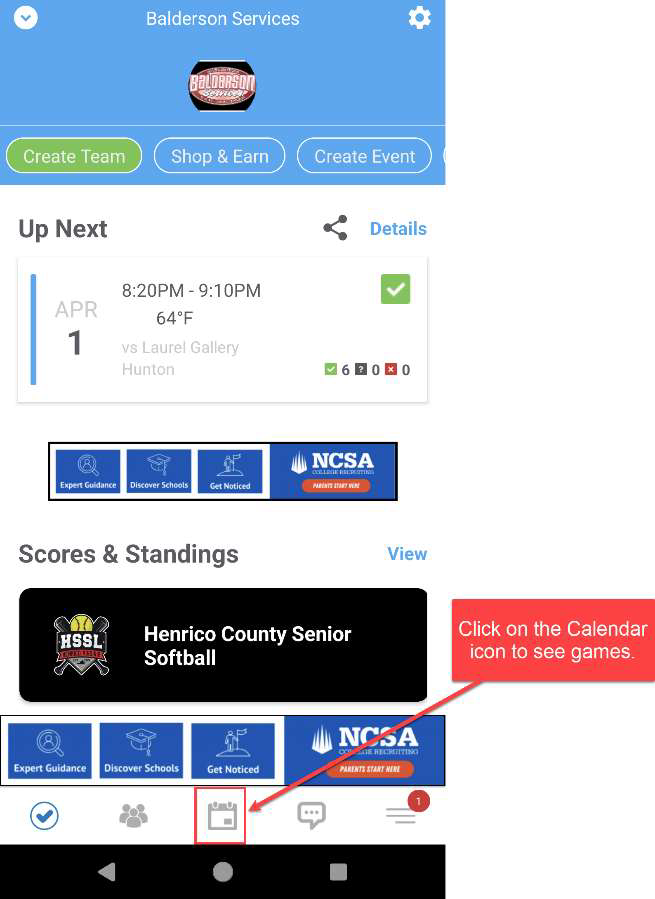
- From this screen,
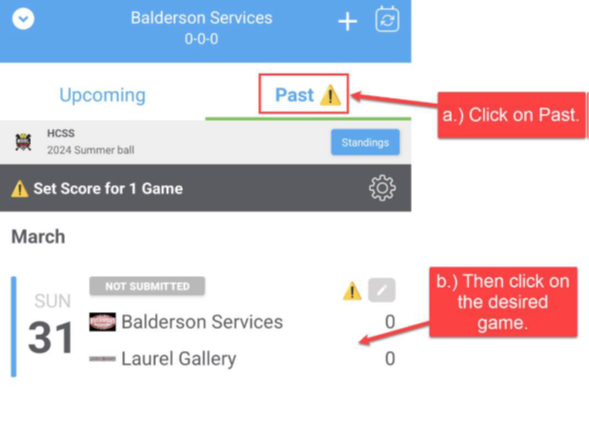
- click on “Past” to see completed games,
- click on the desired game.
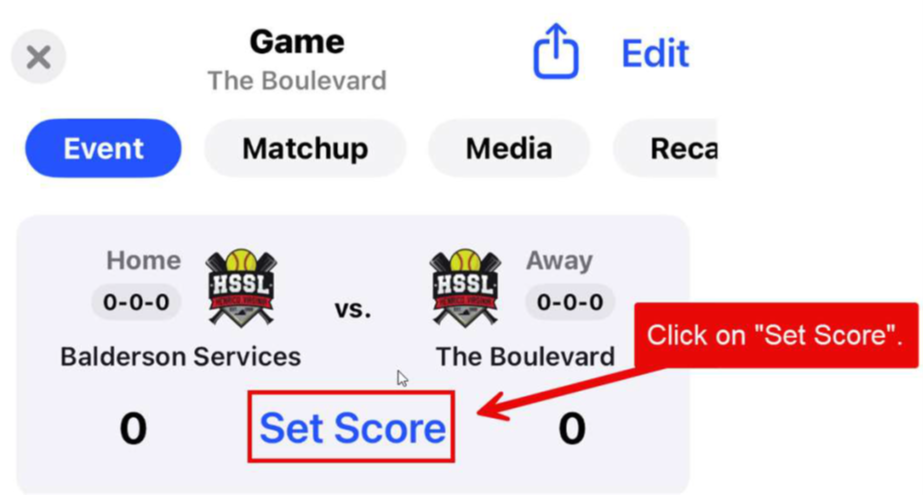
- Click on Set Score.
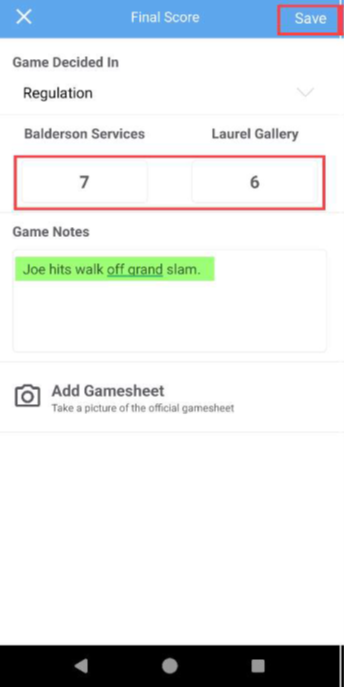
- Input the final score. Then Click ‘Save’. The League standings will then be updated.
Note that you can also input any “Game Notes”, and/or take a picture of the scorebook page to associate with the game if so desired.
If you have any questions/problems, please contact Jim Spevak, jimspevak@gmail.com, 804-363-5475. Alternately, you may text or email final scores to Jim, and he will input the results for you.
