Hanover Senior Softball

how to indicate your game status for upcoming games
- Open TeamLinkt on your smartphone.
- Click the Calendar icon at the bottom of the screen.
b. Select the desired game.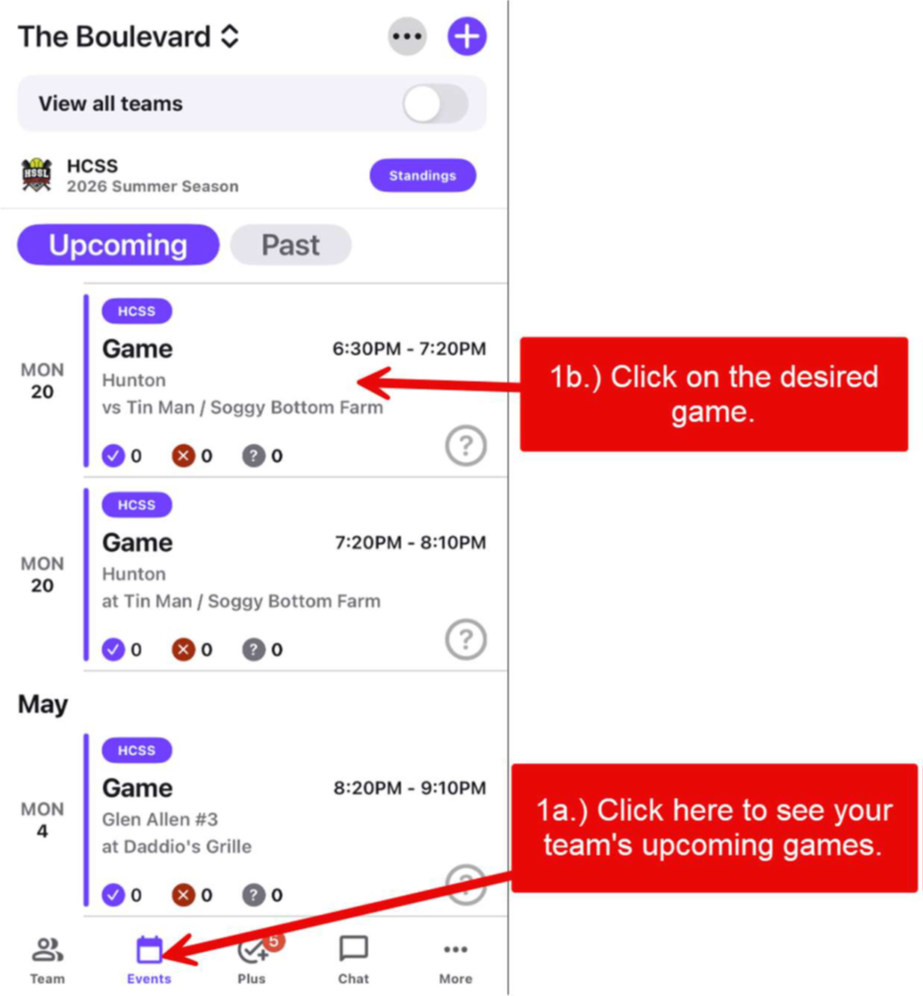
- Click the Calendar icon at the bottom of the screen.
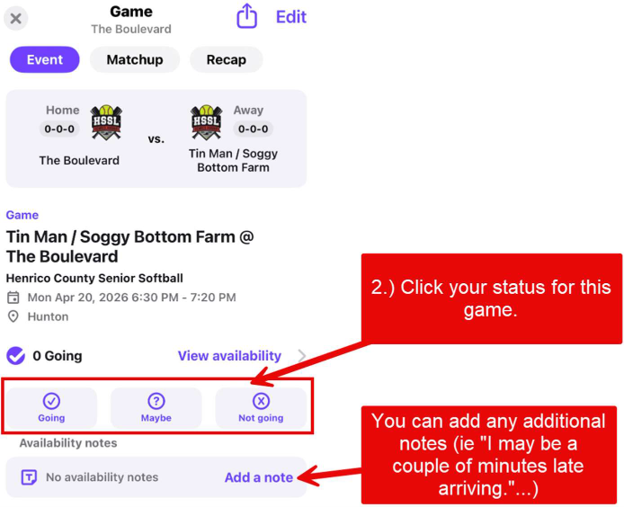
2. Click the Going or Not Going (or Maybe) icon to set your game status.